


Quick answer: Demand Gen is Google’s campaign type for YouTube (including Shorts), Discover, Gmail, Maps (in beta) and the Google Display Network. Google announced on May 26, 2026 that Display campaigns are moving into it, so any school that has run Display needs to understand it. For charter and public schools, Demand Gen works best for building awareness among parents before a lottery or enrollment window and for re-engaging website visitors who did not apply. Keep Search as the base, build audiences around parents because Google does not allow personalized ads for anyone under 18, and judge results by applications, not views.
Key takeaways
- Google announced on May 26, 2026 that Display ads are moving to Demand Gen. A migration tool began a phased rollout in June 2026, and migrated campaigns cannot be switched back.
- Demand Gen serves on YouTube, Discover, Gmail and the Google Display Network (more than 2 million sites and apps), with Maps in beta.
- 84% of U.S. adults say they ever use YouTube (Pew Research Center, 2025).
- Users under 18 are not eligible for personalized advertising of any kind, so a virtual high school should target parents, not teens.
- Demand Gen has a platform minimum of $5 a day, and Google recommends a budget of at least 10 times your target cost per acquisition when you bid to a CPA.
- Expect Demand Gen to look weak in last-click reports. Judge it by applications, assisted conversions and lift tests.
What is Demand Gen?
Demand Gen is a Google Ads campaign type built for the visual, scrolling parts of Google: YouTube (including Shorts), Discover, Gmail, the Google Display Network and, in beta, Google Maps. Google describes it as a way to “capture engagement and action” across those surfaces and says it can reach up to 3 billion monthly active users (Google Ads Help). The ads are images, videos and carousels rather than text, and they show to people who are not searching for you yet.
That last point is the key for schools. A Search ad catches a parent who types “charter school near me.” A Demand Gen ad introduces your school to a parent who has not started looking, or reminds one who visited your enrollment page and left. Both jobs matter, and they are different jobs.
Is Google Display really going away?
Standalone Display campaigns are being folded into Demand Gen. Here is the timeline from Google and from independent coverage:
| Date | What happened | Source |
|---|---|---|
| May 26, 2026 | Google announced that Display ads move to Demand Gen as “Google Display Network in Demand Gen,” with the migration expected to finish in 2027 | Google blog |
| June 2026 | Phased rollout of the “Upgrade to Demand Gen” migration tool for eligible accounts | Google Ads Help |
| Later (no date from Google) | New Display campaigns can only be created in Demand Gen, and remaining campaigns are migrated automatically | Google Ads Help |
| Aug 27, 2026 | Search Engine Land reported that creating new standalone Display campaigns will be disabled in January 2027, with auto-migration later in 2027 | Search Engine Land |
Google’s own pages say only that these steps are “coming later,” so treat the January 2027 date as a trade-press report, not a Google commitment. The practical advice is the same either way: plan the move now instead of being moved.
Google says the Google Display Network remains available inside Demand Gen, and advertisers can still serve ads only on the Display Network (Google). Google also claims that advertisers who add the Display Network to Demand Gen campaigns see an average 9.5% increase in return on investment. That is Google’s figure, not an independent one, so test it for yourself.
What do you lose and gain when you migrate?
Google’s migration guide lists what carries over and what does not (Google Ads Help).
| Area | Carries over or gained | Not supported in Demand Gen |
|---|---|---|
| Bidding | Target CPA, maximize conversions, maximize conversion value, target ROAS, maximize clicks | Manual CPC, viewable impressions, pay for conversions, bid adjustments, seasonality adjustments, portfolio bidding |
| Audiences | Customer Match lists, remarketing lists, custom audiences, lookalike segments, contextual targeting, placement and topic exclusions | Combined audiences; hard targeting by household income and parental status (soft hints only) |
| Formats | Responsive Display ads, uploaded image ads, carousel ads, product feeds | Uploaded HTML5 ads and third-party ads (Google says planned for late 2026) |
| Measurement | Conversion lift, “Where ads showed” placement report, Demand Gen experiments | Brand Lift and Search Lift for the Display Network |
| Reach | YouTube, Discover, Gmail and Maps (beta) through channel controls | n/a |
Search Engine Land adds that Lookalike audiences changed in March 2026 from strict targeting to “audience suggestions,” and that Google introduced view-through-conversion optimization in Demand Gen in April 2026 (Search Engine Land).
How should you migrate?
- Use the migration tool, which Google recommends because it carries over up to 42 days of performance history and can cut learning time to roughly one to two days.
- Expect migrated campaigns to be renamed with “#2” and to be Display Network only at first. You can add YouTube, Gmail and other channels afterward.
- Remember that the move cannot be reversed, and that spend earlier in the day of migration is not counted against the new daily budget.
- Do not run a copy of the same campaign in both places. Google warns the new one may struggle to ramp up.
- Change bids by no more than 15% at a time and wait a week between changes.
- If you are mid-way through a lift study, wait. Google does not recommend migrating while one is running.
Where do Demand Gen ads show, and which placements fit schools?
| Surface | What it is | How a school can use it |
|---|---|---|
| YouTube Shorts | Vertical video feed | Short teacher or student-voice clips, with permission |
| YouTube in-feed and watch next | Ads beside and between videos | Virtual tours and “how enrollment works” explainers |
| YouTube in-stream | Ads before or during videos | Longer stories, a 30-second brand video |
| Discover | Google’s personalized content feed | Image and carousel ads for programs and open houses |
| Gmail | Ads inside Gmail | Reminders to people who showed interest |
| Google Display Network | More than 2 million sites and apps | Broad reach and retargeting |
| Maps (beta) | Placements in Google Maps | Campus visibility near families |
Reach is the reason to care. Pew Research Center’s 2025 survey found 84% of U.S. adults say they ever use YouTube, more than any other platform it asked about (Pew). Our guide to YouTube for schools covers video ideas in detail.
How is Demand Gen different from Search and Performance Max?
Google’s comparison table frames the three this way (Google Ads Help):
| Search | Performance Max | Demand Gen | |
|---|---|---|---|
| Main job | Capture demand on Google Search | Maximize results across all Google channels | Create demand on Google’s visual surfaces |
| Audience control | Search audiences | Signals only, no hard targeting | Customer lists, lookalikes and other segments |
| Channel control | Search and partners | Automatic across channels | You choose the channels |
| Creative | Text and images | Text, images and video | Images, video and carousels |
For a school, the order of operations is usually Search first, then Demand Gen. In Niche’s fall 2024 survey of 377 K-12 parents, 50% named Google as a starting point for their school search, and 31% were considering charter schools (Niche). Search ads reach those families at the moment of intent. Our Google Ads for schools guide shows how to set up that base. Demand Gen adds the families who are not searching yet.
When should a charter or public school use Demand Gen?
- Before a lottery or enrollment window. Start about six to eight weeks ahead so families see the dates repeatedly. See our charter school lottery marketing guide.
- When you launch a new campus, grade or program. Awareness matters most when families have never heard of you.
- For a virtual or statewide school. Reach parents across a wide area with a short video about how a day works.
- To re-engage visitors who did not apply. Show a reminder and a deadline to people who viewed your enrollment page.
- To promote info sessions. Image and video ads can point to an RSVP page.
It is a poor fit if your tracking is not ready, your enrollment page is slow or confusing, or your budget is too small to learn. Fix those first.
Which audiences should schools use?
Target parents and guardians. Google’s personalized advertising policy says users under the age of 18 are not eligible for personalized advertising of any kind, including predefined Google audiences (Google Ads Policies). A virtual high school cannot build audiences of teenagers, and should not try. Write the ads for the adult who decides.
Audience options inside Demand Gen include:
- Customer Match. Upload emails of families who inquired, which lets you exclude people who already applied or build lookalikes. Use only data you collected on your own forms and have permission to use.
- Your data (remarketing). Website visitors and YouTube viewers. This is usually the best-converting audience for a school.
- Lookalike segments. Google moved these to a suggestion mode in 2026, and says the old 100-user minimum for a seed list no longer applies. A new segment takes about 72 hours to populate (Google Ads Help). Google recommends seed lists of high-intent people such as recent converters.
- Custom segments and in-market or affinity audiences. Search terms and interests such as “charter schools,” “online school” or “homeschool alternatives.”
- Location targeting. Match your enrollment area, attendance boundaries or statewide reach, and do not stop at the neighborhoods that are cheapest.
- Exclusions. Exclude current families so your budget reaches new ones.
Parental status can only be used as a soft hint in Demand Gen, so do not depend on it. Build separate ad groups for each language your community speaks, and write each version natively rather than translating a headline.
What creative works for schools?
Google says to use your highest-quality images and video, favoring brand and inspirational imagery with minimal text and good lighting (Google Ads Help). Demand Gen accepts landscape (1.91:1), square (1:1) and portrait (4:5) images, landscape, square, portrait and vertical video, and carousels of 2 to 10 image cards. Each ad also needs a headline, description, business name, logo, call to action and final URL.
Ideas that work for charter and public schools:
- Real people, with permission. Use teachers and families who have signed your media release. Skip stock photos and be careful with AI-generated images of students, which can mislead families.
- A 15-second “how the lottery works” video. Show the window dates, the application link and the fact that it is free.
- Day-in-the-life clips of a classroom, a virtual school day or a campus tour.
- Direct answers to common worries: Is it really free? Who can apply? What happens if we are waitlisted?
- Dates and one action. “Applications close January 15. Apply in 10 minutes.” Put the date in the first line.
- Captions on every video, because many people watch with the sound off and captions help families who are deaf or hard of hearing.
- Provable claims only. Public schools answer to boards and communities. Do not use “best school” or ranking claims unless you can cite a current source on your own landing page.
Create several images and videos in each shape. Google says expanding the number of assets helps ads scale across more inventory, and it points to its Ad Strength tool for checking your images and videos. Google also offers tools such as image-to-video and generated assets, which can save time, but a staff member should review everything before it runs.
How should you set up conversion tracking and bidding?
Google tells advertisers to set up conversion tracking before they begin, and to start with lightweight events such as a site visit so the system can learn faster (Google Ads Help). A practical sequence for a school:
- Track enrollment-page views, info session RSVPs and inquiry forms from day one.
- Add applications as soon as you can send them back from your application system. Our guide to tracking ads to enrollment walks through it.
- Begin with maximize clicks or maximize conversions if volume is low. Move to target CPA once you have steady conversions.
- Budget for learning. Demand Gen requires at least $5 a day, and for target CPA bidding Google recommends at least 10 times your target CPA per day. As a hypothetical, a $50 target CPA points to about $500 a day, which is more than many schools will spend. Start with a conversion goal you can afford.
- Keep the attribution window long. Google suggests more than 28 days for campaigns moved from Display, which fits the weeks between a first ad and an application.
Search Engine Land reports that view-through-conversion optimization, added in April 2026, lets Demand Gen optimize toward people who watch a YouTube or Discover ad, do not click and convert later (Search Engine Land). That can help schools with low conversion counts, but it also means some conversions will not follow a click. Read our guide to school marketing attribution before you judge the results.
How do you measure Demand Gen without fooling yourself?
- Do not judge it by last click. Demand Gen starts journeys that often end on a branded search or a direct visit. Look at assisted conversions and at total applications while the campaign runs.
- Use lift. Google lists conversion lift among the measurement tools for Demand Gen (Google Ads Help). It compares people who could see your ads with a holdout group. Brand Lift and Search Lift are not supported for the Display Network inside Demand Gen.
- Use Demand Gen experiments to test two creative approaches or two audiences against each other.
- Check where ads showed. The “Where ads showed” report shows placements, so you can exclude sites and channels that waste money.
- Ask families. Add “How did you hear about us?” to your forms. If families mention YouTube or a video, you have found influence that clicks miss.
- Report by cohort. Count applications and enrollments for the whole enrollment year, not only the week after the ad ran.
What do public schools need to watch for?
- Student privacy. FERPA protects personally identifiable information in education records (U.S. Department of Education). Upload only inquiry data you collected for marketing, never student records, and keep the data minimal.
- Political content. Google lists political content among its sensitive interest categories, which restrict audiences and inventory (Google Ads Policies). Keep enrollment ads separate from any bond measure or ballot message, and ask your counsel what public funds may be used for.
- Equity. An open-enrollment public school should reach every eligible family. Check your location and language settings, and compare cost per application only after you confirm every community is being reached.
- Transparency. Keep a simple record of budgets, audiences and results for your board.
- Accessibility. Caption videos, write plain-language ad copy and make sure the landing page works on a phone and with a screen reader. See our school website accessibility guide.
- Brand safety. Review placements and use exclusions where Google allows them.
What does an eight-week Demand Gen plan look like?
This is an example, not a promise of results. Adjust it to your window.
| Weeks before deadline | Demand Gen focus | Keep running |
|---|---|---|
| 8 to 6 | Awareness: video and image ads to parents in your area, in each language | Search ads on school name and “charter school near me” |
| 5 to 4 | Add info session promotion and a “how it works” video | Search and Meta ads |
| 3 to 2 | Retarget enrollment-page visitors and YouTube viewers with dates | Email and text reminders |
| 1 | Countdown creative with the deadline | Search brand terms, reminders |
| After the window | Pause or lower budgets, then start waitlist and re-enrollment messaging | Email, text and follow-up |
How much should a school spend on Demand Gen?
There is no reliable public benchmark for Demand Gen cost per application in schools, and we are not going to invent one. What Google does publish is a floor of $5 a day and the 10-times-CPA guideline for CPA bidding. Beyond that, start small and set a test budget your board is comfortable losing. Run it for at least a full enrollment window. Compare cost per application with your Search and Meta results using your own data. Our guide to school marketing budgets can help you size the whole plan.
What about colleges and universities?
The same campaign type works for colleges, with different goals. Higher education marketers often use Demand Gen to promote open houses, application deadlines and program launches on YouTube and Discover, and to retarget visitors to program pages. The same rule applies: Search first, then Demand Gen for the families and students who are not yet searching. Colleges face the same under-18 rule, so recruiting audiences have to be adults or parents. Read our guides to higher education PPC and programmatic advertising for higher education for more.
What mistakes should you avoid?
- Starting Demand Gen before conversion tracking works.
- Judging it by last-click conversions or by views.
- Building audiences of teenagers, or writing ads aimed at them.
- Running the same campaign in Display and Demand Gen at once.
- Using stock footage and slogans instead of real people and real dates.
- Forgetting captions, languages and a mobile-friendly landing page.
- Cutting spend in communities that cost more per application.
- Waiting for Google to force the migration instead of testing early.
For a school example, see how Brandastic approached a charter and online school marketing case study. If you want an outside team, our guide to the best charter school marketing agencies explains what to ask.
Channels Brandastic manages
Brandastic plans and runs these channels for colleges and schools:
Every engagement starts with a first-month discovery and strategy phase. A strong strategy is what makes the campaigns work, so before anything launches we:
- Study your market and the schools you compete with for families.
- Define your ideal target families.
- Identify the parents, students and influencers to market to and what they care about.
- Build a communication plan: what to say, on which channels, and when.
- Pin down your school’s pain points, such as low inquiries or weak follow-up, and plan how to solve them.
- Decide whether to market locally, nationally or both.
For an example of results at scale, Brandastic’s enrollment campaigns for California Online Public Schools produce 1,500+ leads a month and 118x ROAS.
About the author: Justin Nassie is the President and Founder of Brandastic, an Orange County digital marketing agency he has run for 16 years. He has taught advanced web at Chapman University and has also taught at UC Irvine (UCI).
Keep reading: What an education marketing agency does; YouTube for schools; Google Ads for schools; Charter school lottery marketing; How to track which ads lead to enrolled students; School marketing attribution.
Frequently asked questions
What are Demand Gen ads?
They are Google Ads campaigns that show images, video and carousels on YouTube, Discover, Gmail and the Google Display Network (Maps is in beta), mostly to people who are not searching yet.
Is Google Display going away?
Google announced on May 26, 2026 that Display campaigns are moving to Demand Gen. A migration tool began rolling out in June 2026, and new Display campaigns will eventually be created only in Demand Gen.
Should a charter school use Demand Gen or Search?
Start with Search to capture families already looking. Add Demand Gen to build awareness before a lottery window and to retarget visitors who did not apply.
Can schools target students with Demand Gen?
No. Google does not allow personalized advertising for users under 18, so target parents and guardians, including for virtual high schools.
How much does Demand Gen cost?
Google sets a minimum of $5 a day and recommends at least 10 times your target CPA per day for CPA bidding. There is no reliable public cost-per-application benchmark for schools, so test and track your own.
How do you measure Demand Gen for a school?
Track inquiries and applications, look at assisted conversions, use conversion lift or experiments, and ask families how they heard about you. Do not judge it by last click.
Do public schools face extra rules?
Keep student records out of ad platforms, keep enrollment ads separate from ballot or bond messaging, reach every community and language, and keep records for your board.
Does Brandastic manage Demand Gen for schools?
Yes. Brandastic manages Google campaigns for schools and is a Google and Microsoft Partner.
Our Work in Education
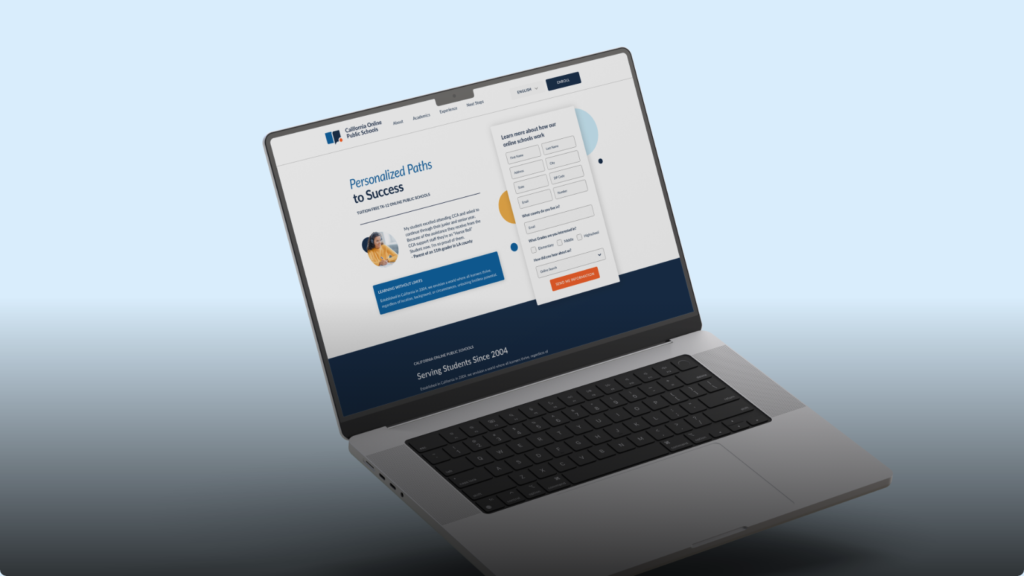
PORTFOLIO · ONLINE CHARTER SCHOOL
California Online Public Schools
1,500+ leads a month and 118x ROAS
View Project

Want video and display ads that lead to applications? Book your free consultation.
Sources
- Google Ads Help, About Demand Gen campaigns, https://support.google.com/google-ads/answer/13695777
- Google Ads Help, Google Display Ads campaigns have a new home in Demand Gen, https://support.google.com/google-ads/answer/17051545
- Google, Google Display Ads has a new home in Demand Gen (May 26, 2026), https://blog.google/products/ads-commerce/google-display-ads-demand-gen/
- Search Engine Land, Moving from Google Display to Demand Gen: What you’ll lose and gain (Aug 27, 2026), https://searchengineland.com/moving-google-display-demand-gen-485895
- Google Advertising Policies Help, Restricted targeting in Personalized advertising, https://support.google.com/adspolicy/answer/143465
- Google Ads Help, Use Lookalike segments to grow your audience, https://support.google.com/google-ads/answer/13541369
- Pew Research Center, Americans’ Social Media Use 2025 (Nov 20, 2025), https://www.pewresearch.org/wp-content/uploads/sites/20/2025/11/PI_2025.11.20_Social-Media-Use_REPORT.pdf
- Niche, Your mid-cycle pulse check: Real-time insights on K-12 parent search (Oct 31, 2024), https://www.niche.com/about/enrollment-insights/2024-niche-k-12-parent-survey/
- U.S. Department of Education, Student Privacy Policy Office, FERPA, https://studentprivacy.ed.gov/ferpa
- Brandastic case study: California Online Public Schools
By Justin Nassie, President and Founder of Brandastic. Brandastic is a Costa Mesa, California digital marketing agency founded in 2010 that has worked with 450+ brands and is a Google and Microsoft Partner. Last updated November 21, 2026.


